Find Your Way Around
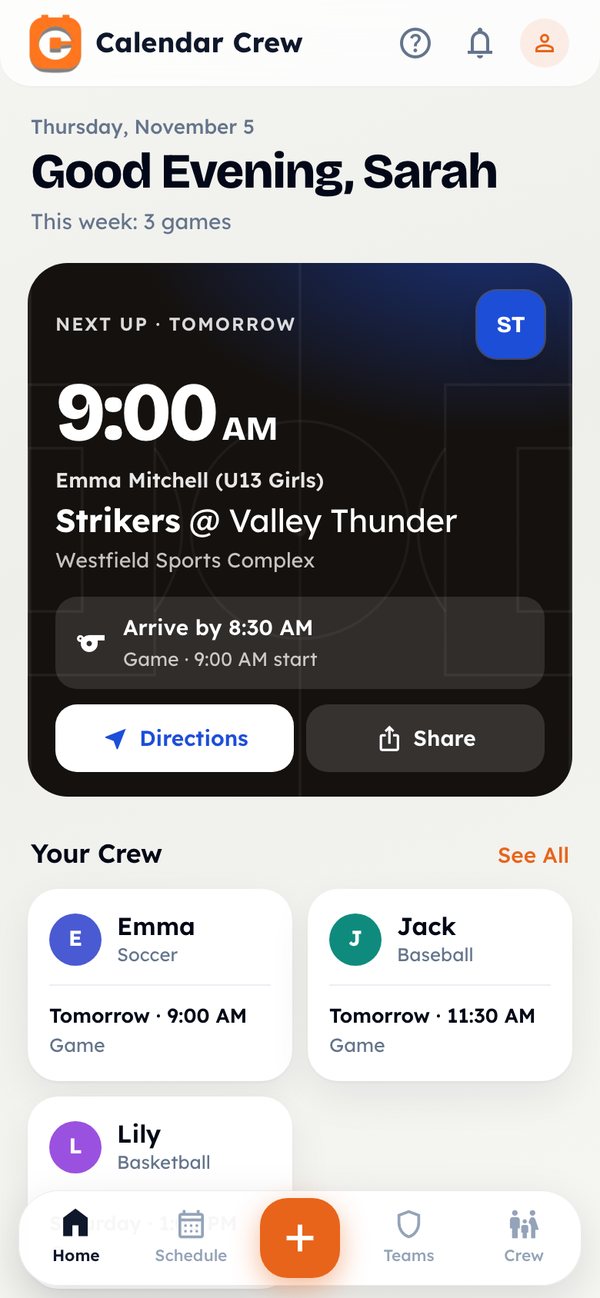
Everything is one tap from the bar at the bottom of the screen.
| Tab | What's there |
|---|---|
| Home | What's next: the next event, each kid's next game, and recent scores. |
| Schedule | Every event for every kid, as a list, a day, or a month. See Home and Schedule. |
| + | Add anything: snap a schedule, upload a screenshot, say it, paste a link, or type it in. See Snap or Upload a Schedule. |
| Teams | Your kids' teams: schedule, roster, coaches and announcements. See Create or Join a Team. |
| Crew | Your kids, co-parents, family members and followers. See Add Your Kids. |
Settings
Tap your picture at the top of the screen to open Settings. That's where you'll find:
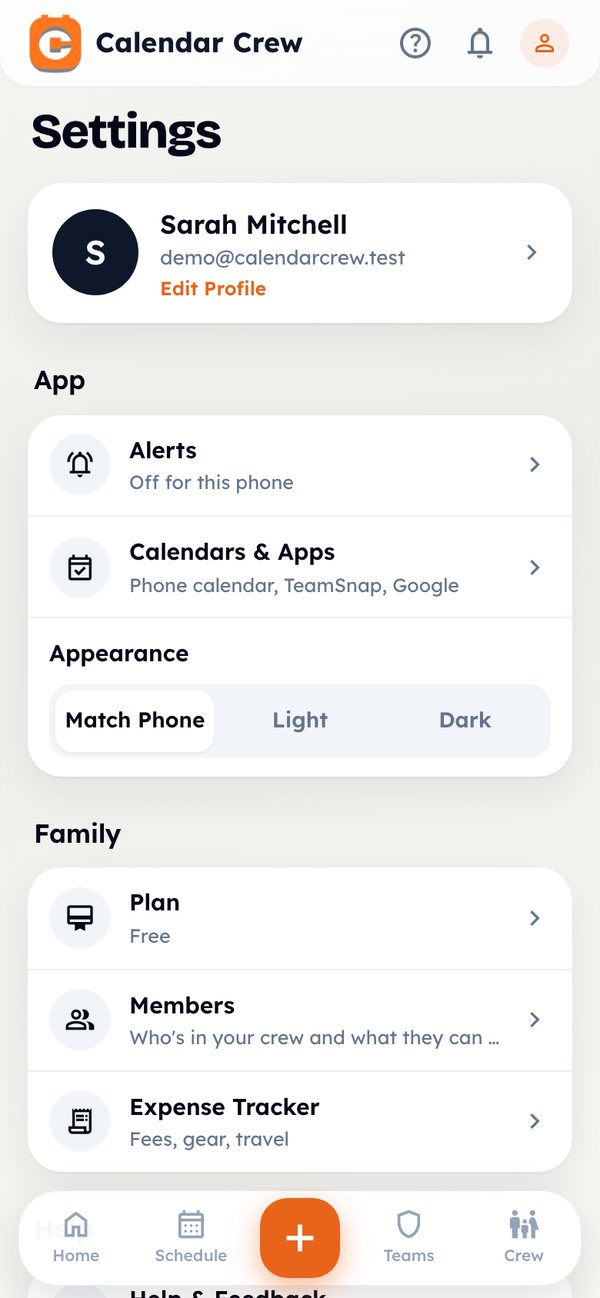
- Alerts: what you're notified about, and quiet hours.
- Calendars & Apps: TeamSnap, Google Calendar, school and league calendar links, and your phone's calendar.
- Appearance: Match Phone, Light or Dark.
- Plan: Free or Crew Plus. See Free and Crew Plus.
- Members: who's in your crew and what they can do.
- Expense Tracker: fees, gear and travel.
- Help & Feedback, Your Requests and this Help Center.
- Log Out and Delete Account.
The bell next to your picture opens your notifications, and the ? opens Help & Feedback.
On a Computer
On a wide screen, Home, Schedule, Teams, Crew and Chat are in a menu down the left side, with + at the top.