Who's Driving
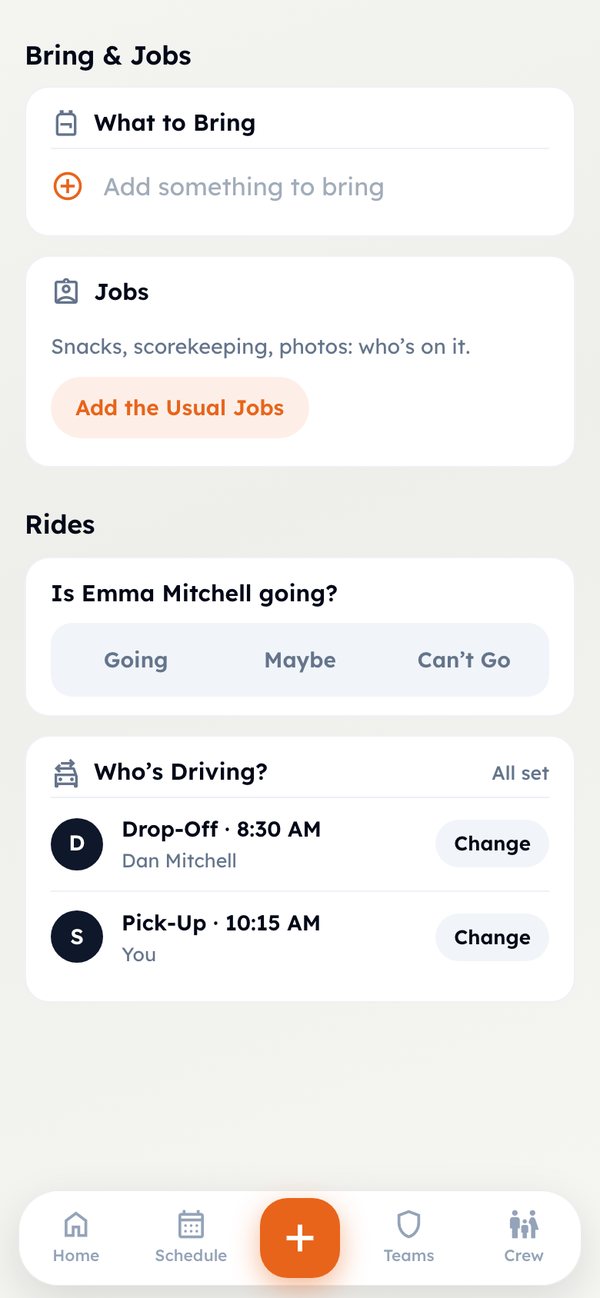
Every event has two drives: Drop-Off and Pick-Up. Sort them out in the app instead of a group text.
Open the event and scroll to Rides.
Take a Drive
Tap I'll Do It next to Drop-Off or Pick-Up. Your crew sees that you've got it.
Give a Drive to Someone
Tap the drive, then pick someone from your crew. They get a heads-up that they're driving.
You can also pick a follower, like a grandparent. They don't use the app, so tap Text [name] the details to send them the time and place.
Ask the Crew
Not sure who can do it? Tap Ask the Crew. Everyone in your family gets an alert asking who can take it.
Change or Clear a Driver
Tap Change next to the driver and pick someone else, or clear it.
Never Miss an Open Drive
- On Schedule, filter by Needs a Driver to see drives in the next two weeks with nobody on them.
- The Evening Digest alert lists tomorrow's events and any drive that still needs a driver. Turn it on in Settings → Alerts.
- Time to Leave alerts tell the drop-off driver when to head out, based on their home address. If nobody has drop-off yet, everyone who could drive gets one. See Alerts and Notifications.
Not going?
If you answer Can't Go, drop-off and pick-up are turned off for that event: no ride needed.